AI automation. Built around your process.
From process analysis to day-to-day operation, with clear limits and human oversight.
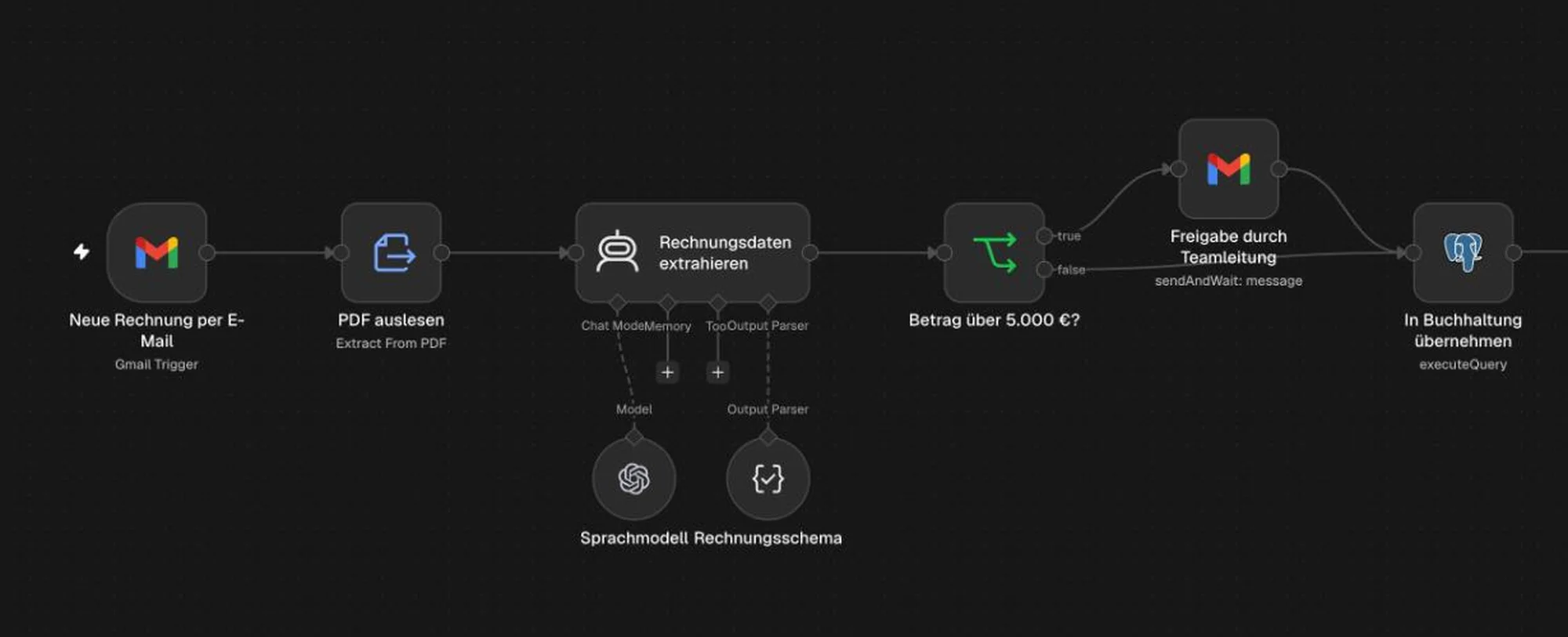
Invoices. Checked before payment.
An invoice arrives. As a PDF.
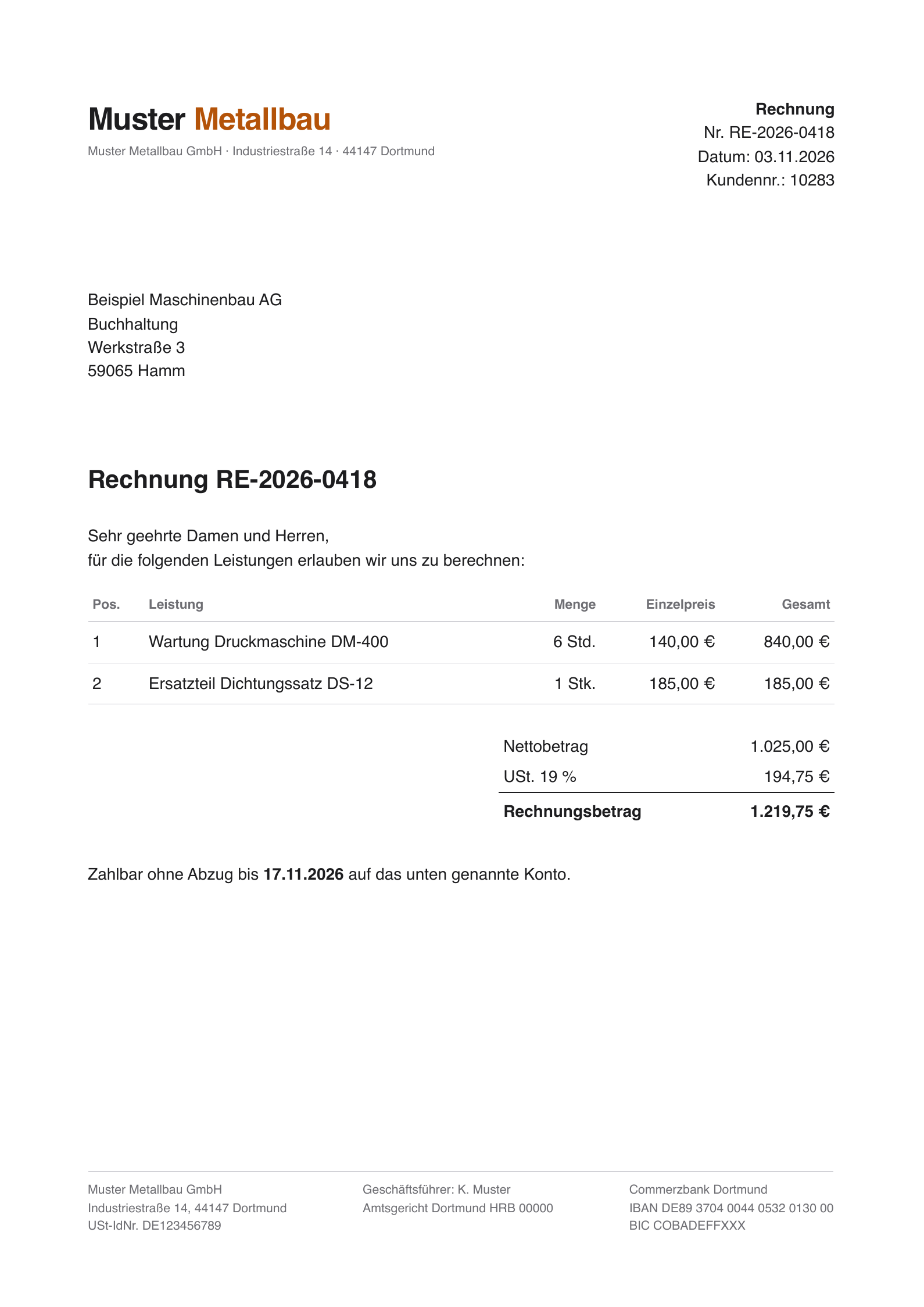
Fictional sample invoice A local model extracts the data. One field at a time.
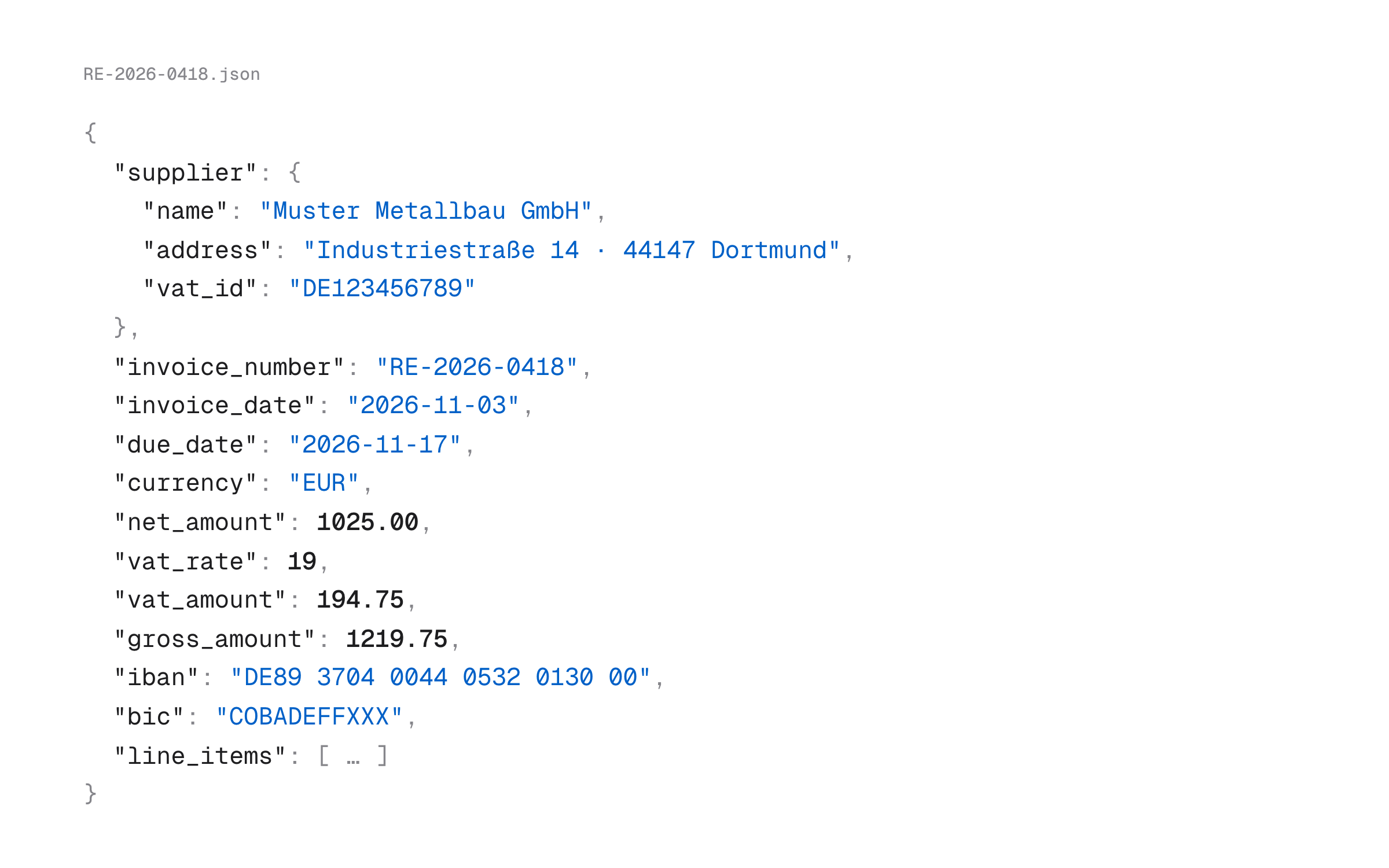
Output from meta/muse-glimmer Services, quantities and prices. Ready for review.
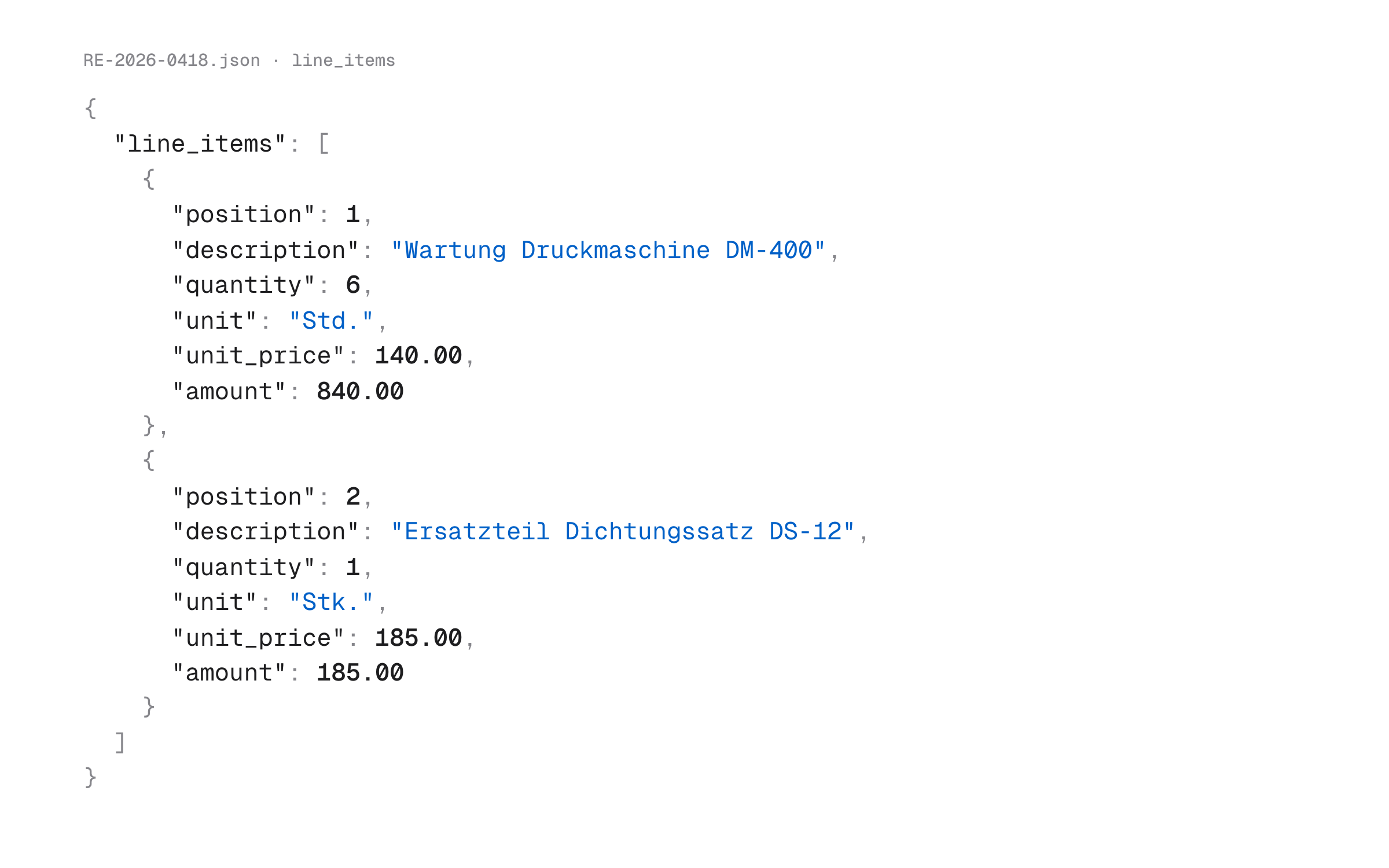
Output from meta/muse-glimmer
When automation is a good fit.
You can identify the process. The tools and architecture are still open.
High volumes of emails, tickets or documents
Your team reviews, sorts and routes incoming requests by hand.
Information moves between systems
Your team copies data between CRM, ERP, ticketing tools, inboxes and specialist applications.
The workflow struggles with variation
Different wording, document formats or business exceptions push the current process to its limits.
A prototype is ready for a production review
Individual tests look promising. Permissions, monitoring and support still need to be set up.
Five steps. From real cases to rollout.
Step 1
Measure how the process works today.
We start with real cases. Your business and IT teams show us common requests and exceptions.
Result. A baseline for handling time, rework or time from start to finish.
Step 2
Use AI where it helps.
Fixed conditions and mandatory checks stay in rules. A model handles the steps that need interpretation.
Result. A clear scope for automation and human review.
Step 3
Connect the systems. Plan for errors.
We use APIs where possible and reserve RPA for systems without a suitable interface. Each connection gets the access it needs.
Result. An architecture with defined permissions, error handling, a fallback and a way to stop the workflow.
Step 4
Test against real cases.
We test typical requests, edge cases, missing data and outages. Acceptance depends on agreed criteria across the test set.
Result. An integrated pilot measured against your baseline.
Step 5
Decide with the evidence.
Ownership, monitoring and support come before rollout. We recommend expanding, limiting, simplifying or stopping the project.
Result. A decision brief and a handover package for your team.
The right tools for each step.
We design around your process and the systems you already use.
Workflow orchestration
Track status, deadlines, retries and escalations.
Rules-based validation
Keep required fields, thresholds and business logic easy to audit.
Language model steps
Classify, extract, summarise or produce drafts.
Retrieval from approved sources
Use retrieval-augmented generation (RAG) to access approved information.
APIs, webhooks and data services
Connect specialist systems through stable interfaces.
Limited RPA adapters
Use robotic process automation (RPA) where no suitable interface exists.
AI agents for variable steps
Use an agent when the next action depends on an intermediate result.
Approvals and exception queues
Build human decisions into the process.
Security starts with the architecture.
Limit read and write access
Each connection gets the permissions its specific step requires.
Route exceptions for review
When a match is missing or a required value fails validation, the workflow sends the case and the reason to a human reviewer.
Trace and stop execution
A log records the input, decision and result. Operators can pause the workflow centrally if needed.
From real projects.
At Carano, we combined a support chatbot with AI training for 70 employees and a data protection strategy for long-term use.
For Silver Investment Partners, we built a platform for confidential deal documents with structured extraction, an investor-specific fit score and findings tied to sources. The partners make the investment decision.
A clear scope. A responsible owner.
Your team still owns the process and keeps the data up to date.
- Expect exceptions that a model cannot interpret.
- Assign someone to supervise agent actions.
- Estimate savings against your own baseline.
- A better form, an API or a rules-based step may solve the problem.
Questions about AI automation.
Which process should go first? Let's find out.
What goes with it.
AI Agents
Plan and implement AI agents with limited permissions, human approvals and tests agreed upfront. We check whether a workflow can do the job first.
View serviceAI Chatbots
AI chatbots for customer service: answer recurring inquiries around the clock and hand complex cases to your team. Free initial consultation.
View serviceAI Knowledge Base
Build an AI knowledge base with RAG. Search approved documents in plain language, verify citations and test answer quality and document permissions.
View serviceAI Consulting & Strategy
AI strategy consulting for businesses. Prioritise use cases, assign owners and build a roadmap with clear criteria for continuing or stopping.
View service